
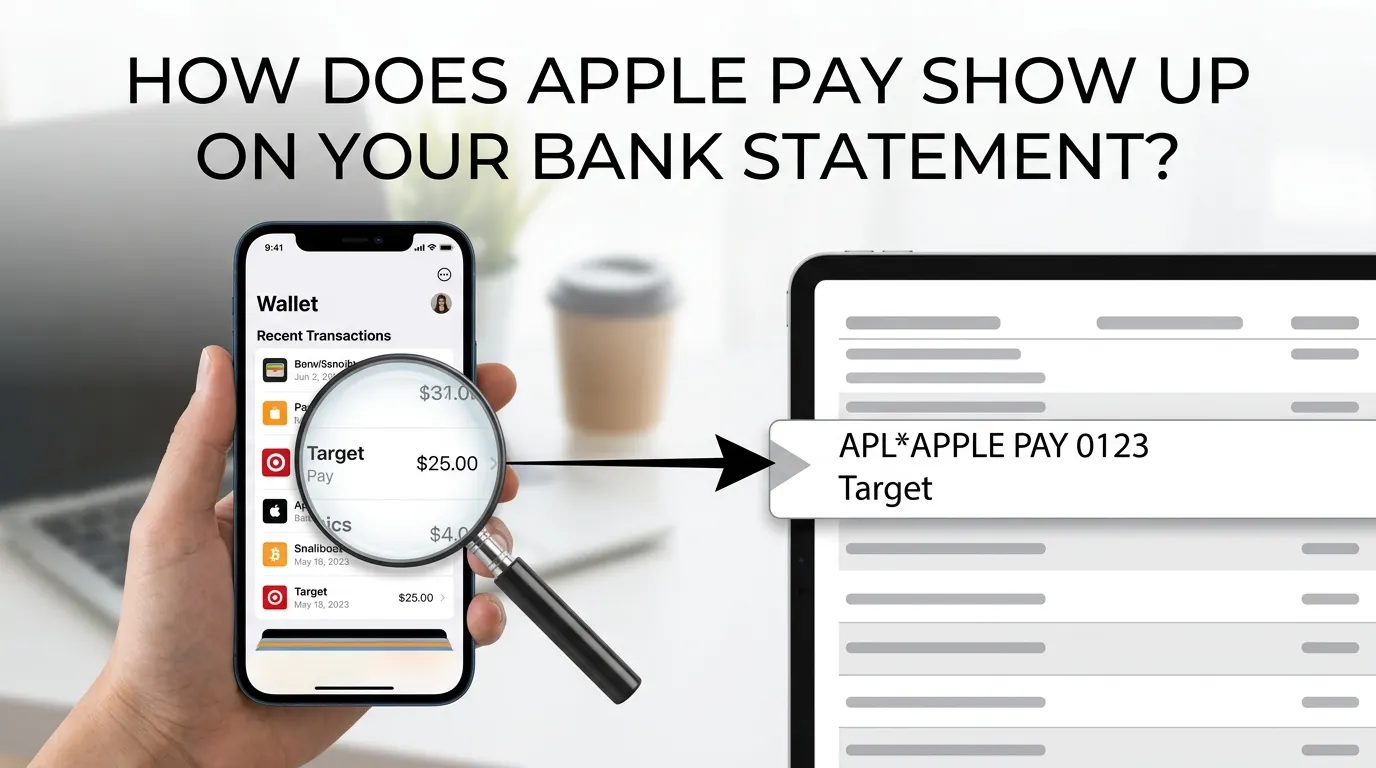

If you’ve ever checked your account and wondered how does Apple Pay show up on bank statement entries, you’re not alone — it’s one of the most common questions among digital wallet users. The description you see depends on your bank, card issuer, and the merchant, which can sometimes make legitimate transactions look unfamiliar.
Reading your bank statement and seeing unfamiliar descriptions of transactions can make it easy to find a legitimate purchase and detect potential problems right away if you understand how Apple Pay transactions look. This guide describes the information you will find on your statement, how to check your transactions, and what to do if you have any questions about something.
Understanding Apple Pay
Apple Pay is a digital wallet, which has been built by Apple, that lets people pay with iPhone, iPad, Mac, and Apple Watch devices that fulfill the requirements. Users can finish the transactions securely without swiping a physical card, using stored credit cards, debit cards, or even prepaid cards.
The service uses tokenization and encryption technologies to protect sensitive card information. For this reason, when you make a payment, you do not give your actual card number to the merchant.
As a result of this extra level of security, transaction descriptions can sometimes be different from typical card payments. Understanding how does Apple Pay show up on bank statement entries can help you quickly identify legitimate purchases and avoid confusion.
How Does Apple Pay Show Up on Bank Statement?
This is one of the most frequently asked questions by consumers: “How does Apple Pay show up on bank statement records?”
The design will vary depending on your bank, card issuer, and the store at which you made the purchase. Most transactions will, however, have some of the following:
- The merchant’s name
- The purchase amount
- The transaction date
- An indication that Apple Pay was used
- A digital wallet reference
For example, your statement may display entries such as:
- APPLE PAY STARBUCKS
- APPLE PAY TARGET
- DIGITAL WALLET PURCHASE
- APPLE PAY UBER
- APPLE PAY WALMART
Some banks will include “Apple Pay” in the transaction description, and others will have just the merchant’s name and label the transaction as being made via mobile wallet.
Note that Apple Pay transaction descriptions can differ between banks and card issuers.
Why Transaction Names May Look Different
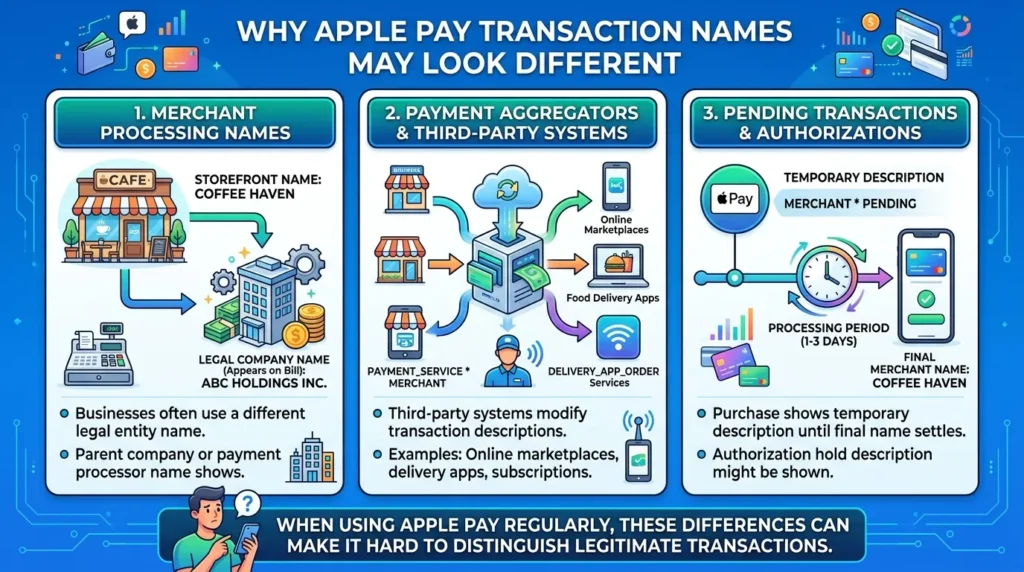
Some consumers have a problem with not recognizing a merchant name right off the bat on their bill. Similar confusion can occur with Walmart transaction descriptions, as merchant names on bank statements do not always match the store name customers recognize.
This can occur for some reasons:
• Merchant Processing Names
Businesses tend to assign a legal company name that is different from their storefront name. For instance, a local coffee shop could show up as its parent entity or payment processor.
• Payment Aggregators
Some companies employ third-party payment systems and may modify the payment description. This occurs in the case of online marketplaces, food delivery apps, and subscription services.
• Pending Transactions
Purchase may start to show up with a temporary authorisation description until the merchant name is shown.
When using Apple Pay on a regular basis, it can be hard to figure out if a transaction is legitimate or not because of these differences.
How to Verify an Apple Pay Transaction on Bank Statement
When you aren’t sure if a fee was charged via Apple Pay, there are a few ways to verify this.
Check Apple Wallet
Tap the Wallet app on your iPhone and choose the card that was used for the purchase. You can often view:
· Recent transactions
· Merchant details
· Purchase amounts
· Transaction dates
This data can work to match the transaction item posted on your bank statement.
Review Purchase Receipts
A lot of merchants send electronic receipts via email or by means of the mobile app. When there’s confusion, check the receipts against your statement, and it can be solved in no time.
Contact Your Bank
If you still can’t figure out what the charge is, your bank will be able to offer you more information about the transaction, such as merchant details and authorization records.
Why Apple Pay Charges May Appear Instantly
Consumers love Apple Pay because it’s fast.
Many of the transactions for Apple Pay are processed almost instantly, which is different from some of the traditional payment methods. Some banks will give you:
· Real-time notifications
· Mobile banking alerts
· Transaction confirmations
· Updated account balances
This instant visibility enables users to keep track of expenditures and spot any discrepancies more quickly.
Common Types of Apple Pay Transactions
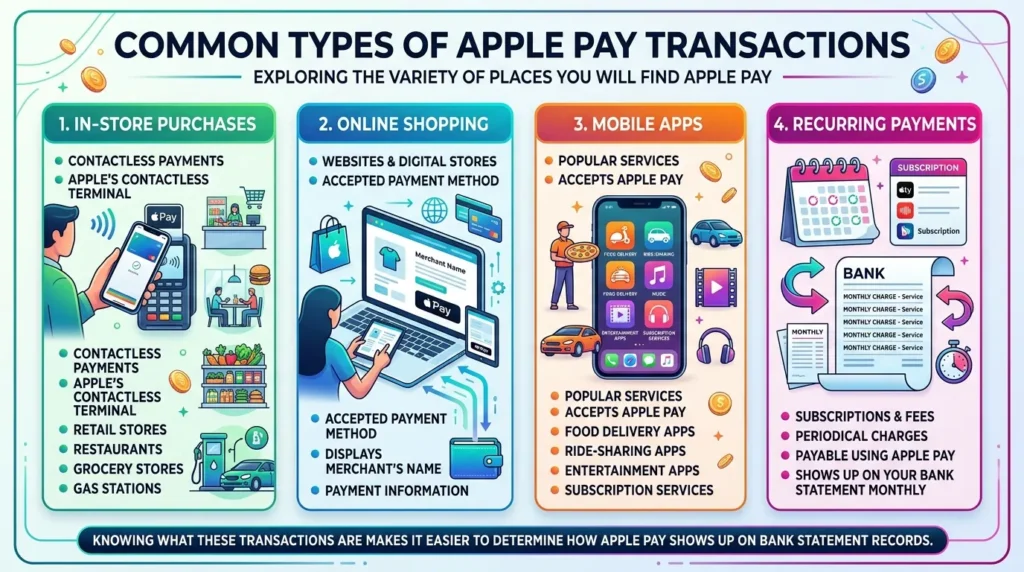
There are a variety of places you will find Apple Pay transactions.
• In-Store Purchases
Apple’s contactless payment terminal is used by retail stores, restaurants, grocery stores, and gas stations.
• Online Shopping
Lots of websites have Apple Pay as a payment method. These types of purchases often display the merchant’s name as well as payment information.
• Mobile Apps
Some of the popular services that accept Apple Pay include food delivery apps, ride-sharing apps, entertainment apps, and subscription services.
• Recurring Payments
Some subscriptions are available to pay for using Apple Pay. The periodical charges may show up on your bank statement monthly.
Knowing what these transactions are could make it easier to determine how Apple Pay shows up on bank statement records.
What If You Don’t Recognize an Apple Pay Charge on Bank Statement?
Having an unfamiliar charge does not necessarily mean that the charge is fraudulent.
First, consider whether:
· One or more members of the family used a device connected to the family unit.
· The charge is from a subscription renewal.
· Different merchant name from store name.
· The transaction has yet to be completed.
If the charge is not recognized, follow these steps:
· Review your transaction history in Apple Wallet.
· Check on receipts and e-mails.
· Contact the merchant directly.
· Inform your bank or card company.
· Immediately report suspected unauthorized activity.
Most banks have a fraud protection program that may assist in investigating any suspicious activity. If you’ve previously investigated an unrecognized retail transaction on bank statement, the same verification steps such as checking Apple Wallet, receipts, and bank details can also help identify Apple Pay charges quickly.
Security Benefits of Apple Pay
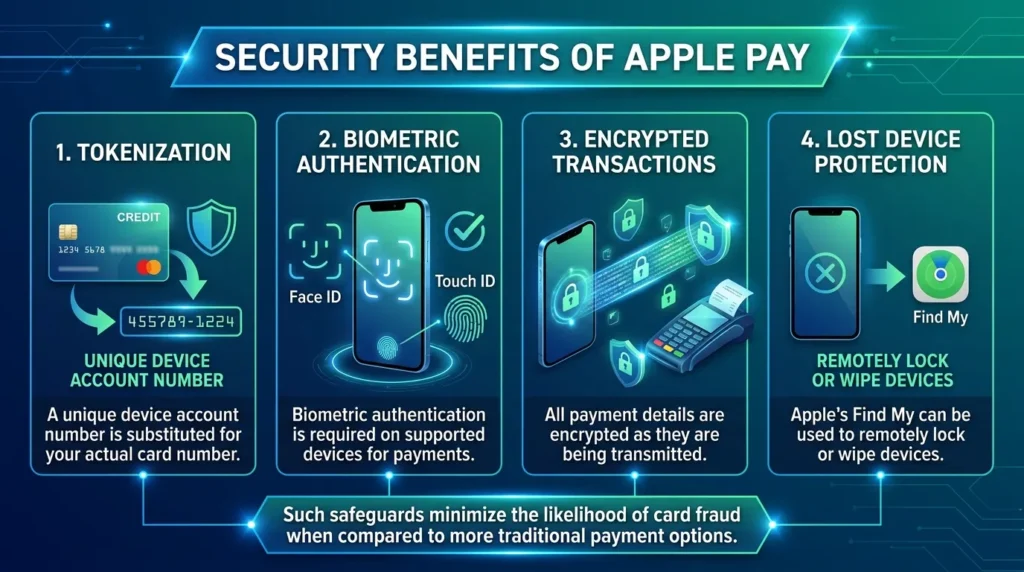
One of the biggest benefits of Apple Pay is its added level of security.
Key features include:
• Tokenization
A unique device account number is substituted for your actual card number.
• Face ID and Touch ID
Biometric authentication is required on supported devices for payments.
• Encrypted Transactions
All payment details are encrypted as they are being transmitted.
• Lost Device Protection
Apple’s Find My can be used to remotely lock or wipe devices.
Such safeguards minimize the likelihood of card fraud when compared to more traditional payment options.
Tips for Managing Apple Pay Transactions
To stay organized and avoid confusion:
· Enable transaction notifications.
· Consistently review bank statements.
· Save digital receipts.
· Keep track of subscription payments.
· Review your Wallet to monitor transactions frequently.
· Report suspicious transactions right away.
If you follow these tips, you should have a clearer understanding of your transaction history and how Apple Pay shows up on bank statement entries.
Conclusion
Due to the rise in digital payments, knowing how to look through your transaction history has become increasingly essential. Although how a charge appears on your bank statement for an Apple Pay purchase varies from bank to bank and merchant to merchant, most statements provide you with enough information regarding the identity of the legitimate merchant so that when you look up the amounts charged, it will be clear.If you have ever wondered how does Apple Pay show up on bank statement records, the transaction will usually include the merchant’s name along with an indication that Apple Pay or a digital wallet was used. By reviewing your statements regularly, checking your wallet, and monitoring your bank accounts, you can successfully stay on top of your finances and continually enjoy the ease and security associated with using Apple Pay.
FAQs
1. How does Apple Pay show up on a bank statement?
Apple Pay transactions usually appear with the merchant’s name, transaction amount, and sometimes a note indicating that Apple Pay or a digital wallet was used.
2. Why does an Apple Pay purchase look different on my statement?
Some merchants use legal business names or payment processors that differ from their storefront names, which can make the transaction description appear unfamiliar.
3. Can I check Apple Pay transactions in the Wallet app?
Yes. The Apple Wallet app displays recent transactions, merchant details, purchase amounts, and transaction dates for supported cards.
4. Does every bank display Apple Pay transactions the same way?
No. Transaction descriptions vary by bank and card issuer. Some banks explicitly show “Apple Pay,” while others only display the merchant’s name.
5. What should I do if I don’t recognize an Apple Pay charge?
Review your Apple Wallet history, check purchase receipts, and contact the merchant. If the charge still cannot be identified, notify your bank or card issuer for assistance.