
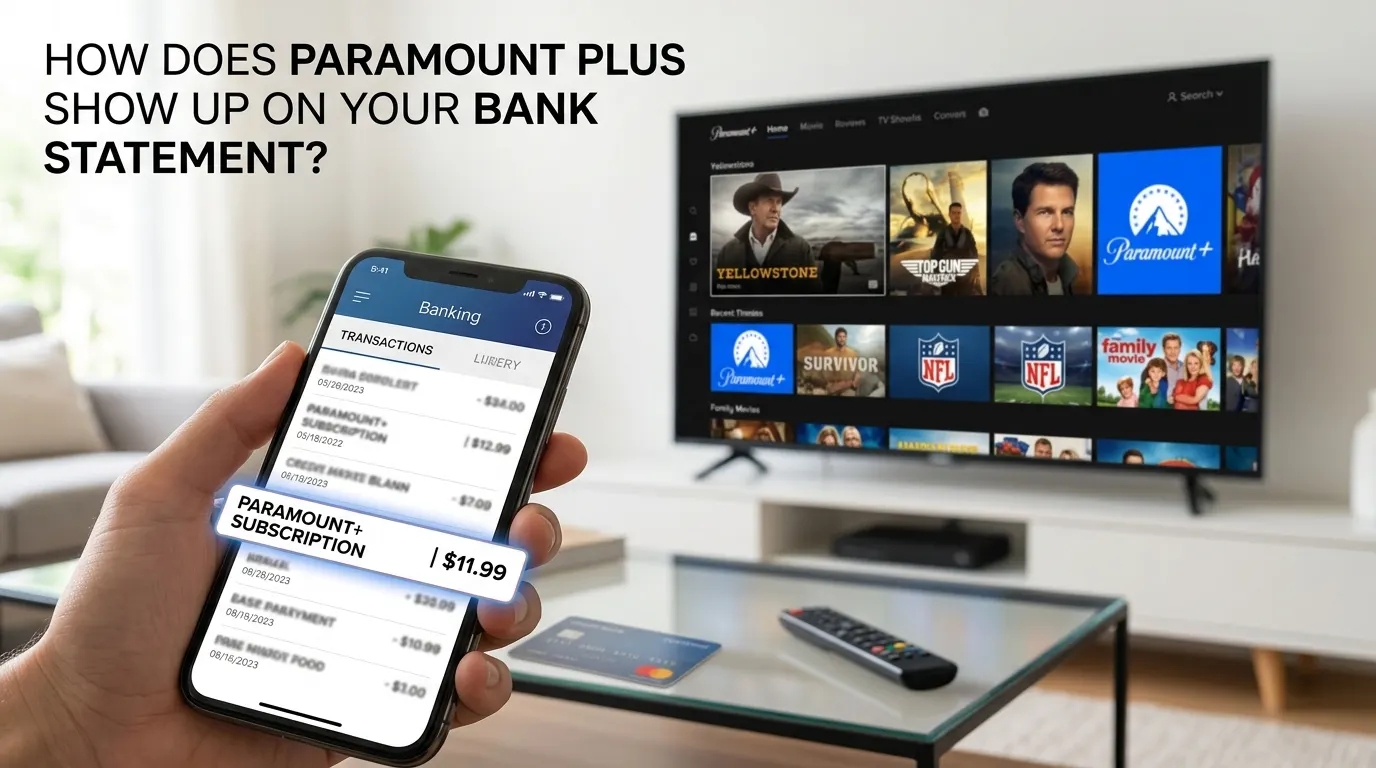

Paramount Plus, a big name in the streaming world today, is now a part of most people’s everyday lives thanks to the large number of choices available for viewing, from live sports to hit films, original programming to things for the family.
The downside of all these choices is that a lot of new subscribers often don’t understand the way their bank or credit card statement reflects the recurring payments they make every month. We will help clear up some of the confusion for people who have recently asked, “What does Paramount Plus show up like on my bank statement?”
As streaming services continue becoming an integral part of people’s lives, these types of transactions appear on most people’s bank statements. However, understanding “how does Paramount Plus show up on bank statements” can help provide clarity to those who have had difficulty recognizing these types of charges.
What is Paramount Plus Subscription?
Paramount+ is a subscription service offered by Paramount Global, which has a vast library of programming (including television series), thousands of films, live sporting events (primarily football), and exclusive original series content to its subscribers.
There are several different subscription plans based on the subscriber’s viewing habits and budgetary requirements. Each subscriber is charged automatically and will see charges appear as either monthly or annual payments on their statements.
By understanding the way Paramount+ charges you for your subscriptions, plus the different ways to access them, you should be able to more easily identify and locate your subscriptions on either type of your billing statement.
How Does Paramount Plus Show Up on Bank Statement?
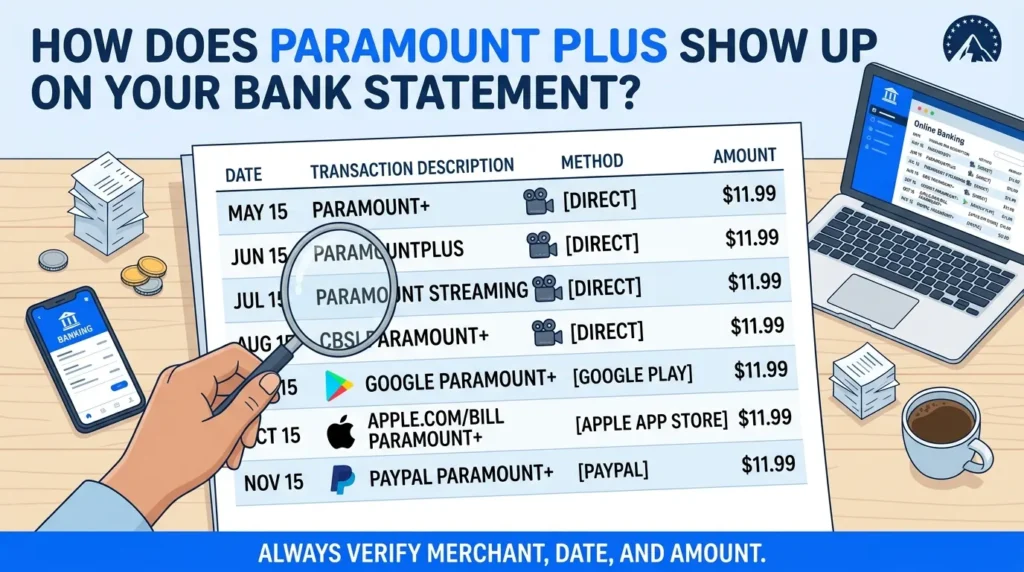
If you are curious to know “how does Paramount Plus show up on bank statements,” it depends on your subscription method.
The charge on your account might include any of the following descriptions, depending on how you paid for your Paramount+ subscription:
- PARAMOUNT+
- PARAMOUNTPLUS
- PARAMOUNT STREAMING
- CBSI PARAMOUNT+
- GOOGLE PARAMOUNT+ (if subscribed through Google Play)
- APPLE.COM/BILL PARAMOUNT+ (if subscribed through Apple)
- PAYPAL PARAMOUNT+ (if paid through PayPal)
The way in which the wording appears will depend upon your bank, payment processor, or method used to pay for your subscription.
When you get your statement, check the merchant description, transaction date, amount, etc. Knowing these details should help you identify if the charge is to your Paramount Plus account.
Why Do You See a Paramount Plus Charge on Bank Statement ?
There are many reasons why this charge could appear on your statement.
· Monthly Subscription Renewal
Your recurring monthly subscription is the most common. The registration process will renew the service at the end of every billing cycle without needing to take any action, unless you cancel the subscription.
· Annual Membership Renewal
You can also opt for an annual scheme rather than a monthly one. In this situation, you may find that the amount you have to pay is higher in a year, but it isn’t lower in a month.
· Additional Family Usage
A family member may have signed up for Paramount Plus using a family credit card or bank account, resulting in you seeing an account that appears to be new.
How Much Does Paramount Plus Usually Cost?
Subscription fee will vary by subscription. The pricing may vary over time, but there are typically different types of subscription options: ad-supported and premium.
If the charge on your statement is in line with the subscription amount, it is probably a normal subscription renewal charge. You can see the precise details of the billing and renewal dates from your Paramount account. If your Paramount Plus subscription was purchased through Apple, it may be helpful to understand how Apple Pay transactions appear on your bank statement to identify the charge correctly.
Knowing the exact subscription cost can help you get the answer to the question “how does Paramount Plus show up on bank statement,” especially when comparing the amounts of the transactions.
How to Verify a Paramount Plus Charge on Bank Statement ?
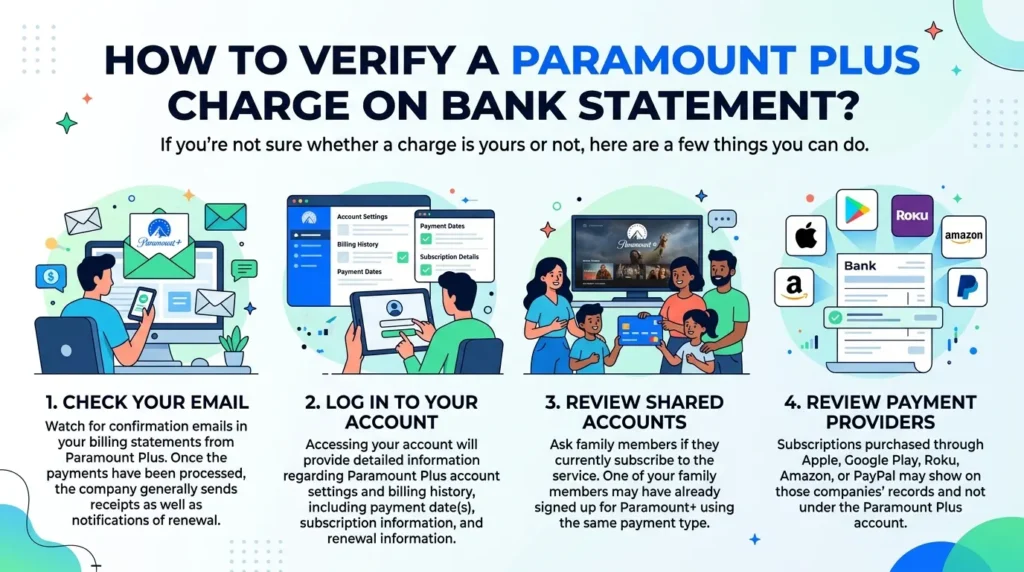
If you’re not sure whether a charge is yours or not, here are a few things you can do.
· Check Your Email
Watch for confirmation emails in your billing statements from Paramount Plus. Once the payments have been processed, the company generally sends receipts as well as notifications of renewal.
· Log in to Your Account
Accessing your account will provide detailed information regarding Paramount Plus account settings and billing history, including payment date(s), subscription information, and renewal information.
· Review Shared Accounts
Ask family members if they currently subscribe to the service. One of your family members may have already signed up for Paramount+ using the same payment type.
· Review Payment Providers
Subscriptions purchased through Apple, Google Play, Roku, Amazon, or PayPal may show on those companies’ records and not under the Paramount Plus account.
What if You Don’t Recognize the Paramount Plus Charge on Bank Statement?
If you do not recognize the charge after checking your account, do the following.
· Forgotten Subscription
Many people have a number of streaming services, and they just forget about one of them. You can check your active subscriptions to find the charge. Similar to streaming subscriptions, understanding how Walmart purchases show up on your bank statement can help you recognize merchant descriptions and track recurring expenses more effectively
· Multiple Accounts
You may have registered with more than one e-mail address. This can lead to double-billed charges.
· Unauthorized Use
However, it is possible in rare cases that someone else could have used your payment details to enroll in Paramount Plus. If you notice any suspicious behavior, call customer service and your bank as soon as possible.
How to Cancel Paramount Plus Subscription?
Unsubscribing from the service is relatively easy when you want to get rid of it.
1. Access your Paramount Plus account by logging in.
2. Go to the Account section.
3. Click on Subscription and Billing.
4. Choose “cancel your subscription.”
5. Follow the on-screen instructions to cancel it.
Uninstalling the application does not cancel your subscription; you must cancel through your account settings or the original platform on which you subscribed.
If you previously cancelled your subscription, you may still access any content until the end of the current billing cycle.
Tips for Managing Streaming Subscription Charges
Many streaming services are now being offered, and you must stay aware of each one.
· Review Your Statements Frequently
Review your bank and credit card statements at least once a month; this will allow you to see recurring charges easily.
· Keep Receipt Emails
Keep the receipt emails that you receive from billing in their own folder; this way, you’ll be able to refer back to them at any time in the future.
· Set Renewal Reminders
To prevent receiving a surprise bill, write the date your subscription renews directly on your calendar.
· Keep Track of Free Trials
Make a note in your calendar whenever you start a free trial; this helps you avoid being charged at the end of the free trial.
These tips will help you keep track of how much you owe each month for things like your Paramount Plus subscription and all of your other subscriptions.
Conclusion
Usually, there is little to no worry regarding any charges that appear in your bank statement regarding Paramount Plus subscriptions. These normally include renewal of monthly/annual subscriptions or charges from Apple, Google, or PayPal for certain purchases.
In this way, knowing “how does Paramount Plus show up on bank statement” would save you trouble and smartly take you to the right charge. The better idea is to check your account details often, bills, and also emails from your company, to learn in actuality about how to manage your streaming costs.
Next time you encounter a Paramount Plus charge, you will know exactly what it means and where more information is found.
FAQs
1. Why does Paramount Plus appear differently on my bank statement?
Paramount Plus may appear under different descriptions such as PARAMOUNT+, PARAMOUNTPLUS, CBSI PARAMOUNT+, APPLE.COM/BILL, GOOGLE PARAMOUNT+, or PAYPAL PARAMOUNT+ depending on how you subscribed and which payment processor handled the transaction.
2. How can I verify a Paramount Plus charge on my bank statement?
You can verify a Paramount Plus charge by checking your Paramount+ billing history, reviewing confirmation emails, logging into your account, or checking subscriptions managed through Apple, Google Play, Amazon, Roku, or PayPal.
3. Can Paramount Plus charges appear through Apple or Google billing?
Yes. If you subscribed through Apple App Store or Google Play, the charge may appear as APPLE.COM/BILL or GOOGLE PARAMOUNT+ instead of showing Paramount Plus directly.
4. Why am I being charged for Paramount Plus after a free trial?
If you do not cancel before the trial period ends, Paramount Plus automatically converts the free trial into a paid subscription and begins charging your selected payment method.
5. What should I do if I don’t recognize a Paramount Plus charge?
First, review your subscriptions, billing emails, and family accounts. If the charge still seems unfamiliar, contact Paramount Plus support and your bank to investigate possible unauthorized activity.