
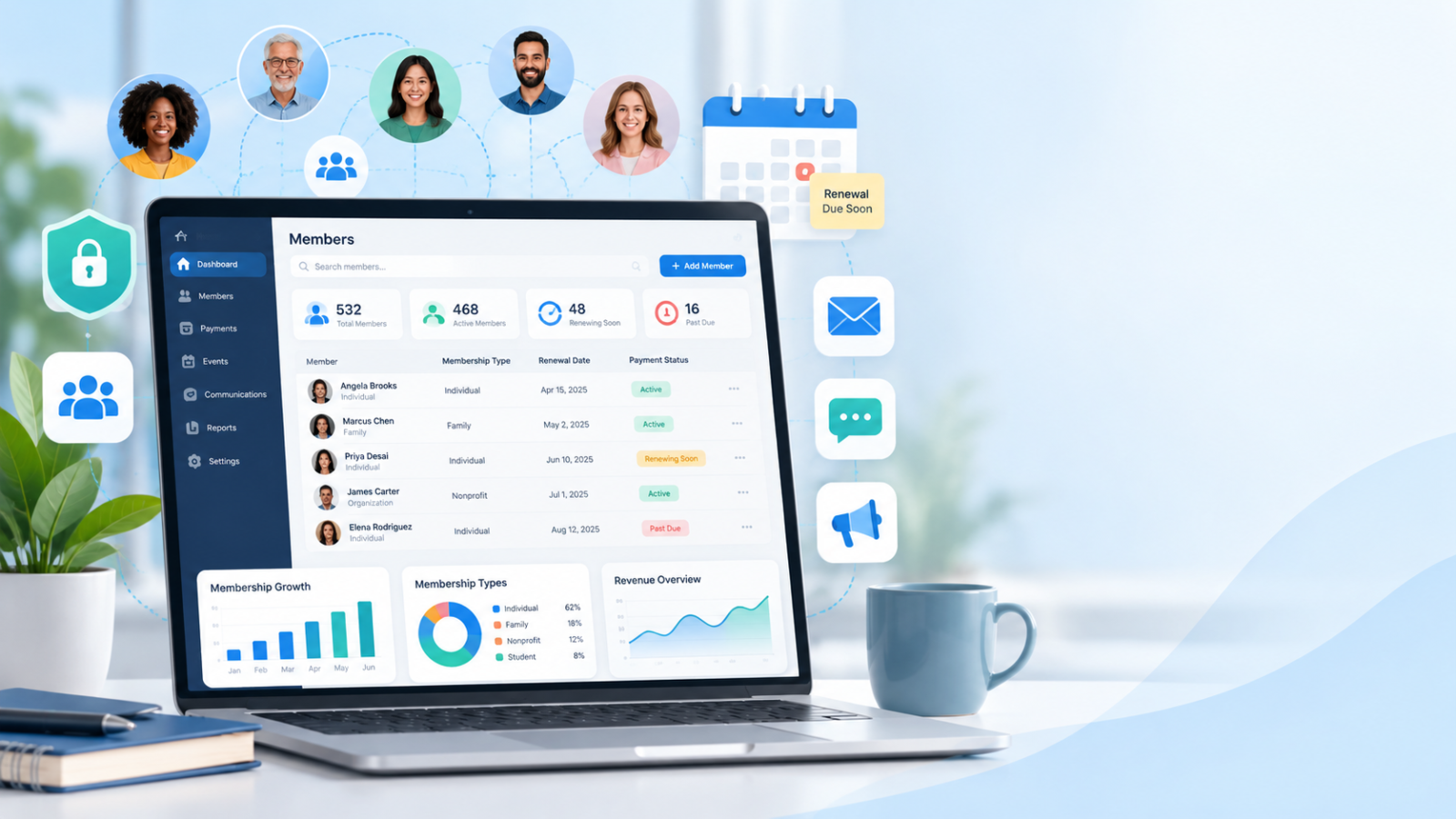

Managing members should be simple. But for many organizations, it becomes a daily problem.
Member details are saved in different spreadsheets. Payment records are hard to find. Renewal dates are missed. Staff members spend hours updating information by hand.
These problems can grow as more people join.
Membership database software helps solve these problems by keeping member information in one place. It can help you manage memberships, track payments, send reminders, and stay connected with your members.
But how do you choose the right software? And does a small nonprofit really need a paid system?
This guide explains how membership database software works, what features to look for, and how to choose a system that fits your needs and budget.
What Is Membership Database Software?
Membership database software is a digital tool that helps organizations store, organize, and manage information about their members.
Instead of keeping member details in notebooks or separate spreadsheets, you can manage them in one system.
A membership database may store:
- Member names and contact information
- Membership types and joining dates
- Active and expired membership status
- Payment and renewal history
- Event registrations and attendance
- Communication preferences
- Notes about member activities
More advanced systems can also handle online sign-ups, payments, and automatic reminders.
For example: Imagine you manage a community organization with 250 members.
One member calls to ask when their membership expires.
Without database software, you may need to search through a spreadsheet or contact another staff member.
With a well-managed membership database, you can search for the member’s name and find their renewal date in seconds.
That is the main purpose of membership database software: making member information easy to find and manage.
Why Do Organizations Need Membership Database Software?
A small organization may start with Excel or Google Sheets. This can work when there are only a few members.
However, problems often appear when membership grows.
Here are some common problems and how membership software can help.
| Common problem | How membership software helps |
|---|---|
| Member information is stored in different files | Keeps records in one database |
| Staff forget renewal dates | Sends renewal reminders |
| Duplicate member records | Helps find and merge duplicates |
| Payment history is difficult to track | Links payments to member records |
| Members cannot update their details | May provide a self-service member portal |
| Reports take hours to prepare | Creates reports from saved records |
| Staff send every email manually | Supports automated or group emails |
Not every membership system includes all these features. It is important to check what each provider offers.
How to Know When You Need a Better System
You may need membership database software if:
- Your team regularly works with more than one member list.
- Members complain about incorrect information.
- Staff spend too much time checking payments.
- Renewal reminders are often late.
- You cannot quickly count your active members.
- You want members to register or renew online.
You do not need to wait until your organization becomes large.
The right time to improve your system is when your current process starts causing mistakes or wasting time.
Important Features of Good Membership Database Software
Not every organization needs the same features. A sports club may need event registration, while a nonprofit may need donation tracking.
Start with the features that solve your biggest problems.
1. Easy Member Record Management
The first feature to check is how easily the software stores and updates member information.
A useful system should let you:
- Add and edit member profiles
- Search for members by name or email
- Group members by membership type
- Check active and expired memberships
- Find and correct duplicate records
- Export information when needed
Practical tip: During a software demo, try finding a member, changing their phone number, and exporting their record.
If these simple tasks are difficult, the software may create extra work for your team.
2. Automatic Membership Renewal Reminders
Forgetting to renew is a common reason members lose access to their membership benefits.
A system with renewal reminders can help prevent this problem.
For example, you might set reminders to be sent:
- 30 days before a membership expires
- 7 days before the expiry date
- On the renewal date
These are example schedules. Choose reminder dates that match your organization’s needs.
The software should also let you check whether a member has already renewed so you do not send unnecessary reminders.
3. Membership Payment Tracking
If your organization charges membership fees, payment tracking is important.
Look for software that helps your team see:
- Who has paid
- Who still needs to pay
- When the last payment was made
- Which membership plan was purchased
- Whether a payment failed or was refunded
Some platforms also connect with payment services to accept online payments.
Choose a trusted payment provider rather than storing members’ full card details in your own database.
4. Member Communication Tools
Members need updates about events, renewals, and important changes.
A good membership database can help you contact the right people.
For example, you may want to send an event invitation only to active members.
Instead of checking every record manually, you can select the active-member group and send the message.
When using email or text messages, respect members’ communication choices and follow the privacy rules that apply to your organization.
5. Reports and Member Insights
Reports help you understand how your membership program is performing.
Useful reports may show:
- Total active members
- New members who joined this month
- Members whose memberships have expired
- Membership fees collected
- Renewal rates
- Attendance at events
You can use this information to find problems early and make better decisions.
For instance, if many members fail to renew, you can review your renewal process and ask members what could be improved.
6. Security and Data Protection
A membership database stores personal information. Protecting this information should be a top priority.
Look for software that offers:
- Multi-factor authentication
- Different access levels for staff
- Secure data storage and transfer
- Regular backups
- A clear data export process
- Information about how the provider handles security incidents
The Federal Trade Commission’s data security guidance recommends collecting only the personal information you need and limiting access to sensitive records.
Important: Do not give every volunteer or employee full access to all member data. Provide access based on their responsibilities.
Membership Database Software for Nonprofits: What Makes It Different?
Nonprofit organizations often have different needs from businesses and private clubs.
A nonprofit may manage members, donors, volunteers, and event participants at the same time.
For example, one person could be:
- An active member
- A regular donor
- A volunteer
- An event participant
If each activity is recorded in a separate spreadsheet, it can be difficult to understand the person’s full relationship with your organization.
Membership database software for nonprofits can help connect these records when the system supports nonprofit-specific features.
Features Nonprofits Should Look For
Membership and donation tracking
A nonprofit may collect both membership fees and donations. These payments should be recorded correctly.
Membership dues and donations are not always the same. Choose software that can keep them separate when needed.
Volunteer management
Some nonprofit platforms can store volunteer information, availability, and activity history.
This can help staff organize events and contact volunteers.
Event registration
Nonprofits often hold community meetings, fundraising activities, and awareness events.
Software with event tools can make registration and attendance tracking easier.
Member and donor communication
The system should help your team send useful information without contacting people who have not agreed to receive certain messages.
Simple reporting
Nonprofit teams may need to prepare reports for board members, managers, or funders.
Look for reports that your staff can understand without advanced technical skills.
Should a Nonprofit Use a Membership Database or a CRM?
A customer relationship management system, or CRM, helps organizations manage relationships and contact information.
A membership database focuses more on membership status, joining dates, renewals, and related activities.
Some systems include both types of tools.
Here is a simple comparison.
| Feature | Membership database | General CRM |
|---|---|---|
| Store contact details | Yes | Yes |
| Track membership expiry dates | Usually | May need extra setup |
| Manage membership levels | Often included | Depends on the software |
| Manage donor relationships | Varies | Often available in nonprofit CRMs |
| Send communications | Often available | Often available |
| Handle membership renewals | Common feature | May need a membership module |
Which should you choose?
If your main task is managing paid memberships and renewals, look for a dedicated membership system.
If donations, fundraising, and donor relationships are your main focus, a nonprofit CRM may be more useful.
If your nonprofit needs both, choose a platform that supports both workflows or can connect them.
Free vs. Paid Membership Database Software
One of the biggest questions organizations ask is whether they should use free or paid software.
The answer depends on your needs.
When Free Software May Be Enough
Free tools can work well for a small organization with basic membership needs.
A spreadsheet may be enough when:
- You have a small number of members.
- One trusted person updates the records.
- Membership fees are simple to manage.
- You do not need automatic renewals.
- You have a secure way to store and back up the file.
However, a free spreadsheet does not automatically provide the same security controls, payment tools, or member services as a dedicated platform.
When Paid Software Makes Sense
Paid membership software may be worth considering when:
- Several staff members need access.
- You collect recurring membership fees.
- Members want to register and renew online.
- Manual data entry is taking too much time.
- You need detailed reporting.
- Your organization is growing.
Do not choose a paid tool just because it has more features.
Choose it because the features solve problems your organization actually has.
Understand the Full Cost
The monthly subscription is not always the total cost.
Before choosing a platform, ask about:
- Setup and training fees
- Extra charges for additional members
- Payment processing fees
- Additional staff accounts
- Data import costs
- Integrations with other tools
- Support and cancellation terms
A cheaper subscription can become expensive when important features cost extra.
How to Choose the Right Software for Membership Database Management
Choosing software should begin with understanding your work, not comparing advertisements.
Follow these five steps.
Step 1: Write Down Your Main Problems
Ask your team what takes the most time.
For example:
- Finding member information
- Checking membership payments
- Sending renewal reminders
- Preparing monthly reports
Choose the three most important problems.
These should guide your software search.
Step 2: Separate Essential Features From Extra Features
Some features are necessary. Others would simply be nice to have.
For a small nonprofit, essential features might include:
- Easy member records
- Membership renewal reminders
- Secure staff access
- Basic reports
- Simple data export
Advanced event tools or a custom mobile app may not be necessary.
This approach helps you avoid buying software that is too complex.
Step 3: Test the Software With Real Tasks
Do not depend only on a product’s feature list.
Ask for a free trial or live demonstration.
During the test, try these five tasks:
- Add a new member.
- Update an existing member’s information.
- Record a membership payment.
- Send a renewal reminder.
- Create a list of expired memberships.
If your staff can complete these tasks without confusion, the software may be a good fit.
Step 4: Compare Your Options With a Simple Score
Give each software option a score from 0 to 2 for each important feature:
- 0: The feature is missing.
- 1: The feature works but has limitations.
- 2: The feature fully meets your needs.
Here is an example of how to score one product.
| Requirement | Example score |
|---|---|
| Member record management | 2 |
| Renewal reminders | 2 |
| Payment tracking | 1 |
| Security and access controls | 2 |
| Reporting | 1 |
| Total | 8 out of 10 |
This is an example of a scoring method, not a review of a real product.
Use the same test for every option. You can also give more importance to features that your organization cannot work without.
Step 5: Check Support Before Making a Decision
Even simple software can cause problems.
Ask the provider:
- Is customer support included?
- Can we get help during data migration?
- Are training videos or guides available?
- Can we export all our records if we leave?
- What happens if the service becomes unavailable?
A reliable support process is especially important for small nonprofits that do not have their own IT team.
How to Move From Excel to Membership Database Software
Moving hundreds of member records into a new system may sound difficult.
However, a clear plan can make the process easier.
1. Back Up Your Current Records
Before making changes, save a secure copy of your existing member data.
Keep the original file safe until the move is complete.
2. Remove Duplicate and Outdated Information
Check for:
- Duplicate names or email addresses
- Incorrect phone numbers
- Missing renewal dates
- Old membership statuses
- Records your organization no longer needs
Do not delete information that you are legally required to keep.
3. Organize Your Columns
A simple membership spreadsheet might look like this:
| Member ID | Name | Membership type | Renewal date | Status |
|---|---|---|---|---|
| M001 | Sarah | Annual | 15 Jan 2027 | Active |
| M002 | David | Monthly | 10 Nov 2026 | Active |
| M003 | Emma | Annual | 20 Sep 2026 | Expired |
These are fictional sample records.
Using a unique member ID can help you avoid confusing people with similar names.
4. Import a Small Test Group
Do not import every member record immediately.
Start with a small group of test records.
Check that names, dates, membership types, and payment information appear correctly.
5. Import the Remaining Records
Once the test works, import the remaining data.
Check the total record count and review a sample of records for errors.
6. Train Your Team
Show staff members how to:
- Find a member
- Update membership details
- Record a payment
- Generate a report
- Handle an expired membership
Make sure everyone understands which system is now the main source of membership information.
Store old exports securely, and remove unnecessary copies when appropriate.
Common Membership Database Problems and How to Fix Them
Even good software cannot solve every problem on its own.
Your team still needs clear rules for managing data.
Problem 1: Duplicate Member Records
Cause: A member signs up again using a different email address.
Solution: Use unique member IDs and review possible duplicates before merging records. Check that two similar records really belong to the same person.
Problem 2: Incorrect Membership Status
Cause: A payment is received, but the membership record is not updated.
Solution: Connect payments with membership records where possible. Check that online and offline payments update the correct member.
Problem 3: Members Do Not Renew
Cause: Members forget the date or find the renewal process difficult.
Solution: Send clear reminders and provide a simple renewal process. Ask former members why they did not renew.
Problem 4: Reports Show Different Numbers
Cause: Staff use different rules for counting active and expired members.
Solution: Agree on clear membership status rules. For example, decide how members in a renewal grace period should be counted.
Problem 5: Too Many People Can Edit Records
Cause: Every staff member has full database access.
Solution: Create different access levels. Only authorized staff should be able to change sensitive records or export the full database.
Example: How a Small Nonprofit Could Improve Its Membership Process
Imagine a nonprofit with 300 members and three staff members.
Its team uses a spreadsheet for member names, an email account for reminders, and a separate payment tool.
Every month, someone must compare all three systems.
This takes time and sometimes leads to mistakes.
The nonprofit decides to use a membership database that connects these tasks.
Here is how its new process could work:
Before using software
A member sends an email to renew. Staff check the payment separately, update a spreadsheet, and send a confirmation manually.
After using software
The member opens a renewal page and pays online. The connected system updates the membership status and sends a confirmation.
The staff can then check renewals in one report.
This is an illustrative example, not a measured case study. The exact process depends on the software and how it is set up.
The lesson is simple: Good membership software should reduce repeated work, not add more steps.
Mistakes to Avoid When Buying Membership Database Software
Before making your final decision, avoid these common mistakes.
Buying too many features: A complex system is not always better. Start with the tools your team actually needs.
Ignoring data security: Low prices should never be the only reason to choose a platform that stores personal information.
Skipping the free trial: A feature may look useful in an advertisement but be difficult to use in daily work.
Forgetting future growth: Ask what happens when your member count or staff team grows.
Not checking data export options: You should understand how to retrieve your data if you decide to change providers.
Moving messy data into the new system: Incorrect records will remain incorrect after migration unless they are cleaned.
Frequently Asked Questions
What is the best membership database software for small organizations?
The best option depends on your membership size, budget, and daily tasks. A small group may only need secure, simple records. An organization that collects regular fees may need payment tracking and renewal automation.
Look for a system that solves your main problems and is easy for your team to use.
Is membership database software for nonprofits different from regular membership software?
It can be. Nonprofits may need donation tracking, volunteer records, fundraising reports, and other features alongside membership management.
Some standard membership platforms also offer these tools, so compare the features rather than relying on the product label.
Can I use Excel as a membership database?
Yes. Excel or Google Sheets can work for small organizations with simple needs.
However, spreadsheets require more manual work when you need automatic renewals, online payments, member portals, and reports that update automatically.
What information should a membership database contain?
At minimum, it should store member identification, contact details, membership type, joining date, renewal or expiry date, and membership status.
Add payment records and other details only when they are needed for your organization’s work.
Can membership database software send automatic emails?
Many membership platforms support automatic emails for renewals, payment confirmations, and other updates.
Check the specific software’s features, email limits, and settings before buying.
How much does membership database software cost?
Costs vary by provider, features, number of records, and payment requirements.
Some tools are free to use, while others charge monthly or annual fees. Open-source tools may also require paid hosting, setup, or technical support.
Compare the full cost rather than the subscription price alone.
What is the difference between membership database software and membership management software?
Membership database software mainly focuses on storing and organizing member records.
Membership management software usually offers additional tools such as online registration, payments, renewals, communication, and reporting.
Many providers use these terms for similar products, so always check what is included.
Final Thoughts
Choosing the right membership database software is not about finding the system with the longest feature list.
It is about making everyday work easier.
For small organizations, that may mean keeping accurate member records and finding information quickly.
For nonprofits, it may mean tracking memberships, donations, and activities in a more organized way.
For growing associations, it may mean automating renewals, handling payments, and creating better reports.
Start by identifying your main problems. Compare the features that matter. Test the software with real tasks. And make sure your team can use it confidently.
Your next step: Write down the three membership tasks that take your team the most time. Use them as a checklist when you compare software.
The right system should help you spend less time managing records and more time supporting your members.