
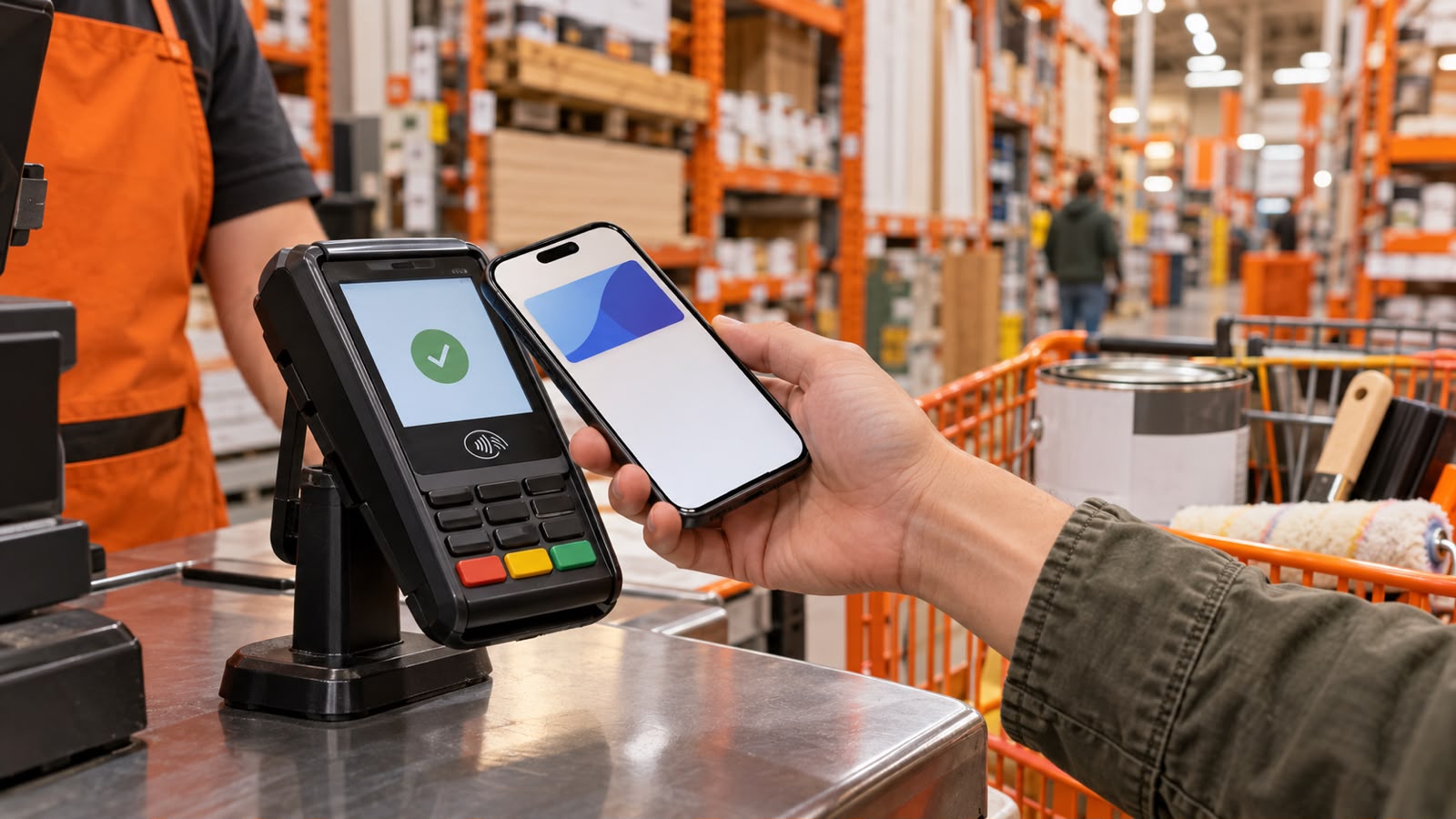

Does Home Depot Take Apple Pay?
If you are planning to shop at Home Depot and prefer using your iPhone or Apple Watch, you may be wondering, does home depot take Apple Pay?
The answer can depend on the specific checkout and store. Home Depot has historically been known for not supporting Apple Pay, but contactless payment availability has changed as stores have introduced newer payment terminals.
Recent 2026 information indicates that Apple Pay is available at many Home Depot locations, particularly where contactless payment terminals are enabled. However, customer reports also show that availability has not always been consistent from one store or checkout to another.
That means it is useful to understand how Apple Pay works at Home Depot and what payment alternatives are available if the option is not supported at your particular checkout.
Does Home Depot Accept Apple Pay In-Store?
For many U.S. Home Depot stores, Apple Pay can now be used where compatible contactless payment terminals are available.
This is a significant change from previous years. Home Depot customers historically could not use Apple Pay, which led to frequent requests for contactless payment support.
Current third-party payment guides report that Apple Pay is now supported at Home Depot locations with compatible terminals. However, because customer experiences can still vary by store and terminal, checking for the contactless symbol before checkout is a practical step.
What You Need to Use Apple Pay
To pay with Apple Pay, you generally need:
- An iPhone or Apple Watch
- Apple Pay set up on your device
- A supported debit or credit card
- A functioning contactless payment terminal
- Your device unlocked and authenticated when required
If the terminal supports contactless payments, you can hold your iPhone or Apple Watch near the reader to complete the transaction.

How to Use Apple Pay at Home Depot
If your Home Depot checkout supports contactless payments, using Apple Pay is relatively simple.
1. Add Your Card to Apple Wallet
Before visiting the store, make sure your debit or credit card has been added to Apple Wallet.
Open the Wallet app on your iPhone and follow Apple’s instructions to add a supported card.
2. Go Through Checkout
Shop normally and take your items to a staffed register or self-checkout.
3. Open Apple Pay
On an iPhone with Face ID, double-click the side button and authenticate with Face ID or your passcode.
On an Apple Watch, double-click the side button to bring up your payment card.
4. Hold Your Device Near the Reader
Look for the contactless payment symbol on the terminal. Hold your iPhone or Apple Watch close to the reader.
5. Wait for Confirmation
Once the transaction is approved, your device should display a confirmation.
If the terminal does not respond, ask the cashier whether contactless payments are supported at that register.
Can You Use Apple Pay at Home Depot Self-Checkout?
Self-checkout is another area where contactless payment availability may vary.
Some Home Depot locations have upgraded self-checkout terminals that support contactless payments. Other locations may have different payment equipment.
If you are using self-checkout, scan your products as usual and look for a contactless or digital-wallet payment option when you reach the payment screen.
If Apple Pay does not appear or the reader does not respond, you may need to use another payment method.
Does Home Depot Accept Apple Pay Online?
This is an important distinction.
In-store Apple Pay availability and online payment availability are not necessarily the same.
Recent customer reports indicate that Home Depot’s online checkout can display Apple Pay as a payment option in some circumstances. For example, a Home Depot customer review published in September 2026 reported seeing Apple Pay and PayPal as checkout options for an online order.
Because online checkout options can change depending on the order, device, browser, and checkout setup, the best approach is to check the payment methods displayed when you place your order.
Apple Pay on iPhone
If Apple Pay is displayed during checkout, select it and authenticate the transaction using your iPhone.
Apple Pay on Other Devices
Availability can depend on the device and browser you are using. If Apple Pay does not appear, another payment method may be required.
Home Depot Payment Methods at a Glance
Here is a simple comparison of common payment options:
| Payment Method | Home Depot Availability | Notes |
|---|---|---|
| Apple Pay | Available at supported contactless checkouts | Availability can vary |
| Credit Card | Yes | Common payment option |
| Debit Card | Yes | Standard checkout option |
| Home Depot Credit Card | Yes | Subject to account and transaction terms |
| Cash | Available in stores | Not applicable to online checkout |
| PayPal | Available for some online purchases | Check checkout options |
| Contactless Card | Available at supported terminals | Look for contactless symbol |
Payment options may differ between physical stores and online checkout.
Why Did Home Depot Not Accept Apple Pay Before?
Home Depot spent years without Apple Pay support.
This was notable because Apple Pay became widely used at many other major retailers. Home Depot customers frequently mentioned the lack of contactless payment in store reviews.
For example, Home Depot customer reviews from 2023 and 2024 still show shoppers reporting that certain stores did not accept Apple Pay or other NFC payments.
The situation began changing when Home Depot introduced contactless payment capabilities at U.S. stores. Reports in 2024 described a rollout of contactless payments, which helped bring Apple Pay compatibility to participating locations.
This explains why older articles may say that Home Depot does not accept Apple Pay while newer information may say that it does.
What If Apple Pay Does Not Work at Home Depot?
If you arrive at Home Depot and your Apple Pay transaction does not work, there are several things you can try.
Check the Contactless Symbol
Look at the payment terminal for the contactless symbol. If the terminal does not support contactless payments, Apple Pay may not work.
Try Another Register
Payment terminals can differ within a store. If one register does not accept contactless payments, another checkout may have different capabilities.
Ask an Employee
A cashier can tell you whether the particular register supports mobile-wallet payments.
Use a Physical Card
It is always useful to have another payment option available, especially when making a large purchase.
Does Apple Pay Work With Home Depot Credit Cards?
Apple Pay works by using an eligible card stored in your Apple Wallet. Whether a particular Home Depot-branded credit card can be added depends on the card issuer and Apple’s current card-support requirements.
If your Home Depot card is eligible for Apple Wallet, you can check your Wallet app and follow the card issuer’s instructions for adding it.
If the card cannot be added, you may need to use another eligible debit or credit card through Apple Pay.
Is Apple Pay Safe to Use at Home Depot?
Apple Pay is designed to reduce the need to provide your physical card number directly during a contactless transaction.
When you use Apple Pay, your device uses security features such as device authentication and payment-token technology rather than simply handing the cashier your physical card.
You should still follow normal payment-security practices:
- Keep your iPhone or Apple Watch protected with a passcode.
- Never share your device passcode.
- Review transactions regularly.
- Keep your Apple device updated.
- Contact your card issuer if you notice an unfamiliar transaction.
Apple Pay vs. Physical Card at Home Depot
Both options can be useful depending on your situation.
| Feature | Apple Pay | Physical Card |
|---|---|---|
| Requires physical wallet | No | Yes |
| Contactless payment | Yes, where supported | Depends on card |
| Works with iPhone | Yes | Not required |
| Works with Apple Watch | Yes | Not required |
| Requires compatible terminal | Yes | Usually not for chip/swipe |
| Backup option | No, if device/card fails | Yes |
Apple Pay can be convenient when you already have your phone with you, but carrying a backup payment method can be helpful when shopping at locations where contactless payment availability is uncertain.
Tips for Paying With Apple Pay at Home Depot
If you prefer using Apple Pay, these simple tips can make checkout easier:
Check Before You Shop
If you are making a large purchase, contact the specific Home Depot store beforehand if Apple Pay availability is important to you.
Keep a Backup Card
A physical debit or credit card can help if the contactless reader is unavailable.
Keep Your Device Charged
Apple Pay requires your device to be operational in most everyday situations. A low battery can create an unnecessary checkout problem.
Look for the Contactless Symbol
This is one of the easiest ways to identify whether a terminal is designed for tap-to-pay transactions.
Check Online Payment Options
If you are ordering through the Home Depot website or app, look at the available payment options during checkout rather than assuming that every store payment method is available online.
Frequently Asked Questions
Does Home Depot take Apple Pay in 2026?
Yes, Apple Pay is available at many Home Depot locations with compatible contactless payment terminals. Because payment capabilities can vary by location or terminal, it is sensible to confirm before relying on Apple Pay for a purchase.
Does Home Depot accept Apple Pay at self-checkout?
Some Home Depot self-checkout terminals support contactless payments, including Apple Pay. Availability can vary by store and terminal.
Can I pay with my Apple Watch at Home Depot?
Yes, where the Home Depot payment terminal supports contactless payments, you can use an Apple Watch with Apple Pay.
Can I use Apple Pay on Home Depot’s website?
Apple Pay may appear as an online checkout option depending on the checkout environment. Recent Home Depot customer reports show Apple Pay appearing as an online payment option in 2026.
What if Home Depot’s Apple Pay payment does not work?
Check whether the terminal supports contactless payments, try another register, or use a physical credit or debit card as an alternative.
Why do some older websites say Home Depot does not accept Apple Pay?
Home Depot historically did not support Apple Pay at many stores. Contactless payment availability changed during the 2024 rollout, so older articles and customer reviews may no longer reflect the current situation.
Conclusion
So, does home depot take Apple Pay? The answer is yes at supported Home Depot contactless payment terminals, but shoppers should not assume that every checkout experience will be identical.
Home Depot’s payment options have changed significantly over the past few years. Many stores now have contactless payment capabilities, allowing customers to use an iPhone or Apple Watch where supported. Online checkout can also display Apple Pay depending on the order and checkout setup.
If you prefer Apple Pay, check for the contactless symbol before paying and keep a physical card as a backup. This can help you avoid delays, particularly when making a large Home Depot purchase.
In short, does home depot accept Apple Pay? Yes, at supported locations and checkout systems, but checking the specific payment terminal is still a smart step.