
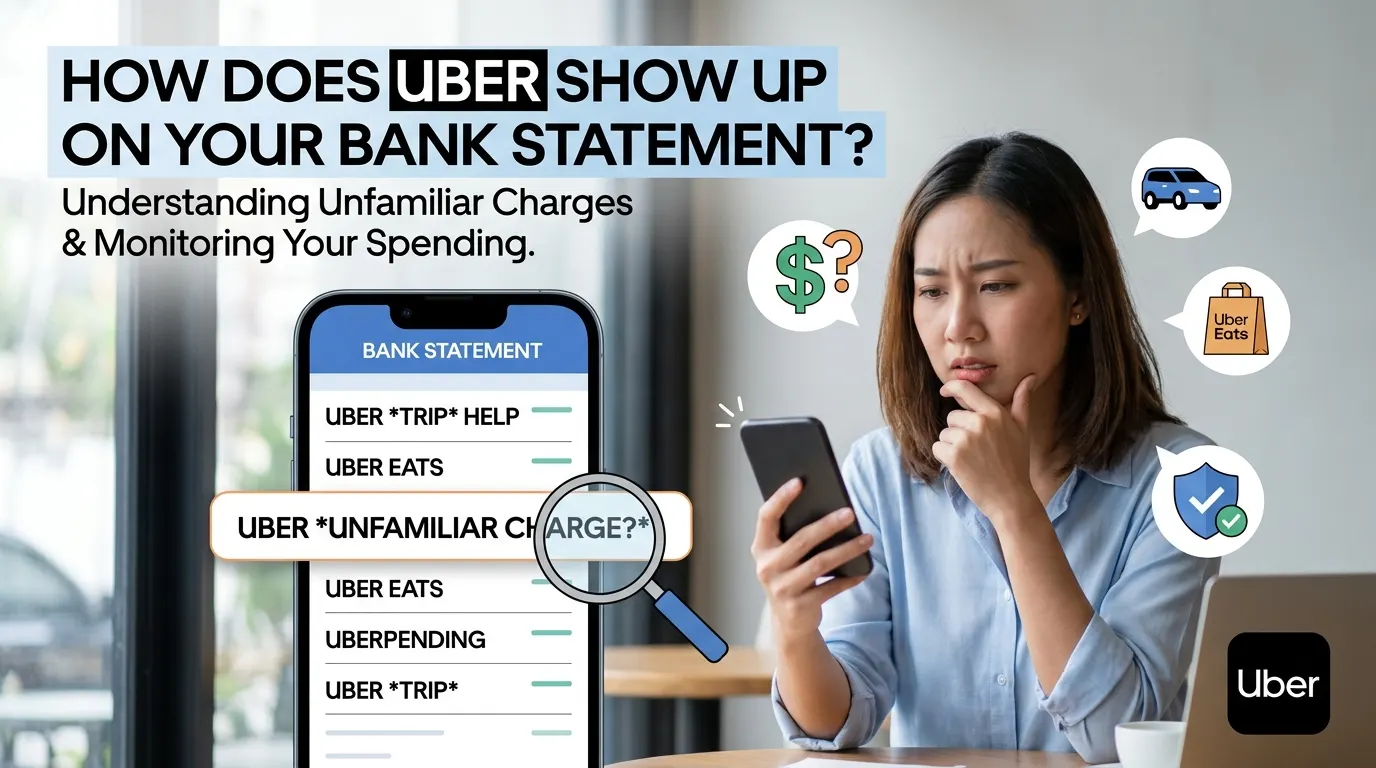

Uber riders might see the company’s name on their bank statement or credit card bills if they use the app for rides, food delivery, or any other service. Sometimes the charges appear to be different than what users would expect, causing them to be confused.
When someone doesn’t instantly recognize a transaction, many people wonder how Uber appears on the bank statement records. Knowing the locations of these charges can be used to confirm purchases, monitor expenditure, and check for any suspicious activity. Many users searching how does Uber show up on bank statement want to verify charges for rides, food deliveries, or other Uber services and ensure the transaction is legitimate.
In this article, we will cover how does Uber show up on bank statement, why some charges might be different from others, and what you should do if you recognize an unfamiliar charge.
What Is Uber?
Uber is one of the world’s most popular transportation and delivery platforms. Rides, Uber Eats, delivery options, and more can be booked via the mobile application.
The descriptions of each transaction as listed on your statement may vary based on the type of transaction you made because the company provides a variety of services.
How Does Uber Show Up on Bank Statement?
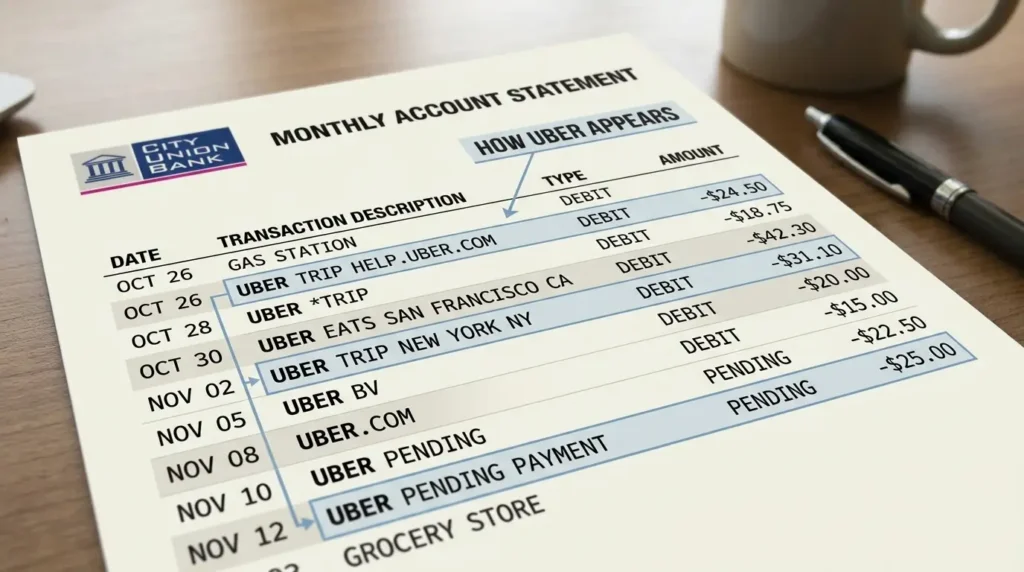
If you’re asking, how does Uber show up on bank statement, the answer is dependent on the service used and the financial institution involved in the transaction.
In most cases, an Uber charge can be displayed as:
• UBER TRIP
• UBER *TRIP
• UBER EATS
• UBER BV
• UBER.COM
• UBER HELP
• UBER PENDING
• UBER PENDING PAYMENT
There’s typically more detail included in the charge, like the date, location, or a transaction number.
For instance, a trip to New York could be represented as: UBER TRIP NEW YORK NY.
Food delivery order can be represented as: UBER EATS SAN FRANCISCO CA
The wording may also differ between banks, as they may represent transactions in different ways.
Why Uber Charges Sometimes Look Different on Bank Statement
People ask how does Uber show up on bank statement for one reason: Uber has different transaction codes.
Some factors may influence the appearance of a charge:
Type of Service
The type of charge will vary depending on whether you used:
• Uber rides
• Uber Eats
• Uber Reserve
• Package delivery services
There can be one or more descriptors for each service.
Payment Processor
Banks and credit card companies tend to abbreviate merchant names and/or alter transaction descriptions. This means that the amount you will see on your statement may not be exactly the same as the amount you see in your Uber account.
International Transactions
When using Uber abroad, your bank statement might show an Uber charge from a local Uber company, not the usual Uber.
What Is an Uber Pending Charge?
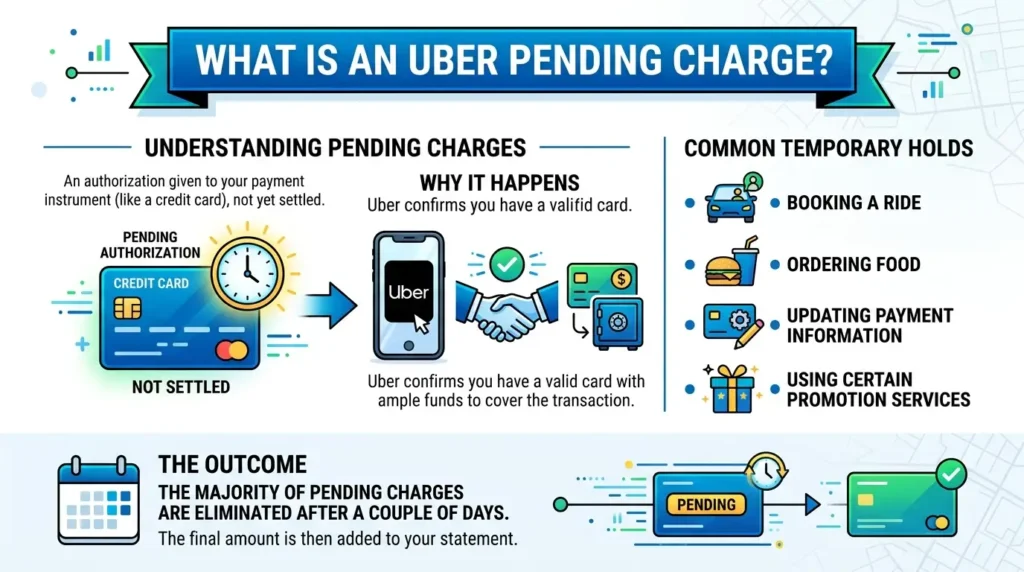
In some cases, users might see a transaction in the queue before the final transaction.
A pending charge is an authorization that has been given to your payment instrument that has not yet been settled. This occurs when Uber confirms that you have a valid card with ample funds to cover the transaction.
Temporary holds are temporary restrictions usually put in place when:
• Booking a ride
• Ordering food
• Updating payment information
• Using certain promotional services
The majority of the charges pending are eliminated after a couple of days, and the final amount is added. If you notice an unfamiliar delivery-related transaction, understanding unauthorized food delivery charges on bank statements can help you determine whether the charge is legitimate or potentially fraudulent.
Why Is the Uber Charge Different from My Receipt?
Sometimes, the transactional volume given on your bank statement will be different than what you were expecting.
There might be several reasons for this:
• Added Tips
The final fare will be more than the original fare if you tip the driver after the ride.
• Tolls and Fees
Toll road, airport, or local taxes may apply at the end of the trip.
• Order Adjustments
Substitutions, add-on items, or changes at the time of preparation may impact Uber Eats final price.
• Currency Conversion
If you use Uber in another country, the exchange rates may result in a slightly different amount showing on your statement.
How to Verify an Uber Charge
There is a way to quickly verify a transaction using the Uber app if you are not sure. Follow these steps:
1. Open the Uber app.
2. Tap “Account.”
3. Select “Trips” or “Orders.”
4. Review your recent activity.
5. Compare the transaction amount with your bank statement.
This is usually the simplest method to identify how does Uber show up on bank statement. You should check the receipts sent by email after rides or orders.
What If You Do Not Recognize an Uber Charge?
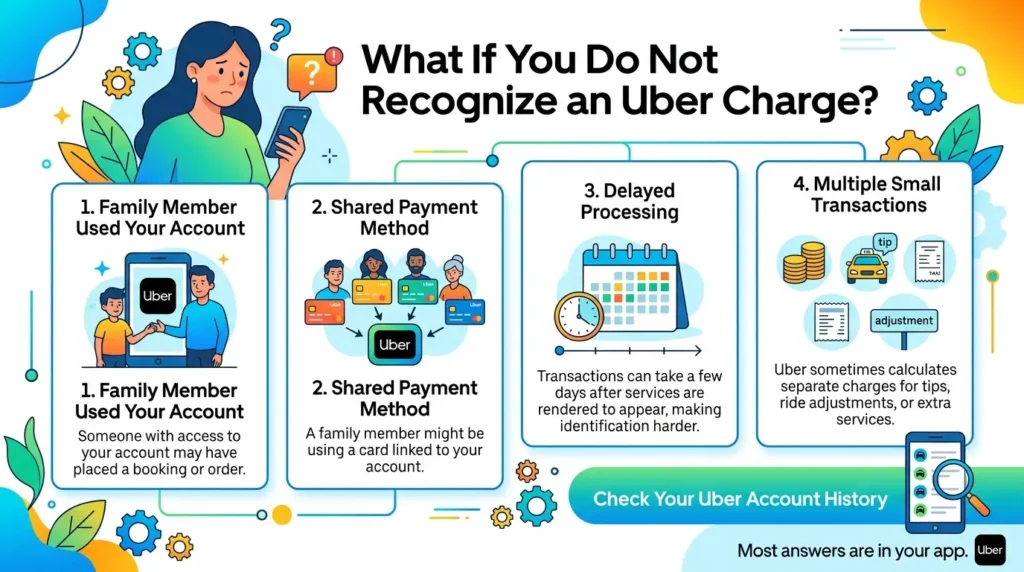
This can be an unsettling sight when seeing a new charge. If you suspect fraud, here are some things to consider:
• Family Member Used Your Account
There has been a booking or an order placed by someone who has access to your account.
• Shared Payment Method
One of your family members may have been using a card that was attached to your Uber account.
• Delayed Processing
Other transactions are not on the record until a few days after services were involved, making them more difficult to identify.
• Multiple Small Transactions
Uber occasionally will calculate separate charges for tips, ride adjustments, or extra services.
It is usually possible to find out from your Uber account history where the charge came from. Since many riders use mobile wallets for transportation purchases, understanding Apple Pay charges on your bank statement can make it easier to identify and verify transactions
What to Do If You Suspect Fraud
If you’re not sure of what the transaction is from, do something right away.
• Contact Uber Support
In the app, use the help section to report a charge and ask for more information.
• Review Account Activity
Monitor for any unauthorized trips or food orders.
• Change Your Password
Change your Uber password and add a second factor of authentication for added security.
• Contact Your Bank
If the charge seems suspicious, contact your bank or credit card issuer to dispute the charge.
Taking timely action may help to minimize additional unauthorized charges.
Tips for Tracking Uber Expenses
If you compile your records, it will be easier to keep track of transportation costs.
Helpful tips include:
• Keep all Uber receipts in a special folder.
• Check bank statements on a regular basis, preferably once a month.
• Utilize budgeting applications to group transportation expenses.
• Track Uber Eats orders separately from rides.
• Set up transaction alerts on your bank account.
These habits will make it easy for you to identify the valid charges and see if there is anything suspicious going on.
Conclusion
Understanding how does Uber show up on bank statement can help you quickly identify legitimate Uber transactions, recognize pending charges, and detect potentially unauthorized activity.Uber charges may show up as Uber Trip, Uber Eats, Uber.com, or similar transaction descriptions, depending on the service utilized.
The majority of charges are valid and may be confirmed via email receipts or the Uber app. Examine your account activity, get in touch with Uber support, and, if needed, notify your bank if you see an unusual transaction.
You can confidently keep an eye on your spending, spot mistakes, and safeguard your account from unwanted activity by understanding how Uber transactions show up on financial statements.
FAQs
1. How does Uber show up on bank statement?
Uber charges commonly appear as UBER TRIP, UBER *TRIP, UBER EATS, UBER BV, or UBER.COM, depending on the service used and your bank.
2. Why does my Uber charge look different from my receipt?
Differences can occur because of tips, tolls, taxes, order adjustments, currency conversion, or pending authorizations that later update to the final amount.
3. What is an Uber pending charge on a bank statement?
An Uber pending charge is a temporary authorization hold used to verify your payment method before the final transaction is processed.
4. How can I verify an Uber charge on my bank statement?
Open the Uber app, review your trip or order history, compare the transaction amount, and check email receipts associated with your account.
5. What should I do if I don’t recognize an Uber charge?
Review your Uber account activity, contact Uber Support, update your password, and notify your bank if you believe the charge is unauthorized.